Powered by Apple's
new SpeechAnalyzer.
Hold your key, speak, let go. The text lands in whatever you were typing in. Recognition is Apple's own engine from macOS 26, the one behind Notes and Voice Memos.
It answers as you speak
Words arrive while you are still talking, not after you stop. Talkify warms the engine up at launch, so there is no spin-up and no server to wait for.
Built for real speech
It handles long sentences, and a microphone you are not sitting next to. Talkify shows a rough guess straight away, then replaces it with the final wording.
Nothing to install or manage
macOS keeps the language model and updates it. It runs outside Talkify, so the download stays small and your speech never leaves the Mac.
It lives in the notch.
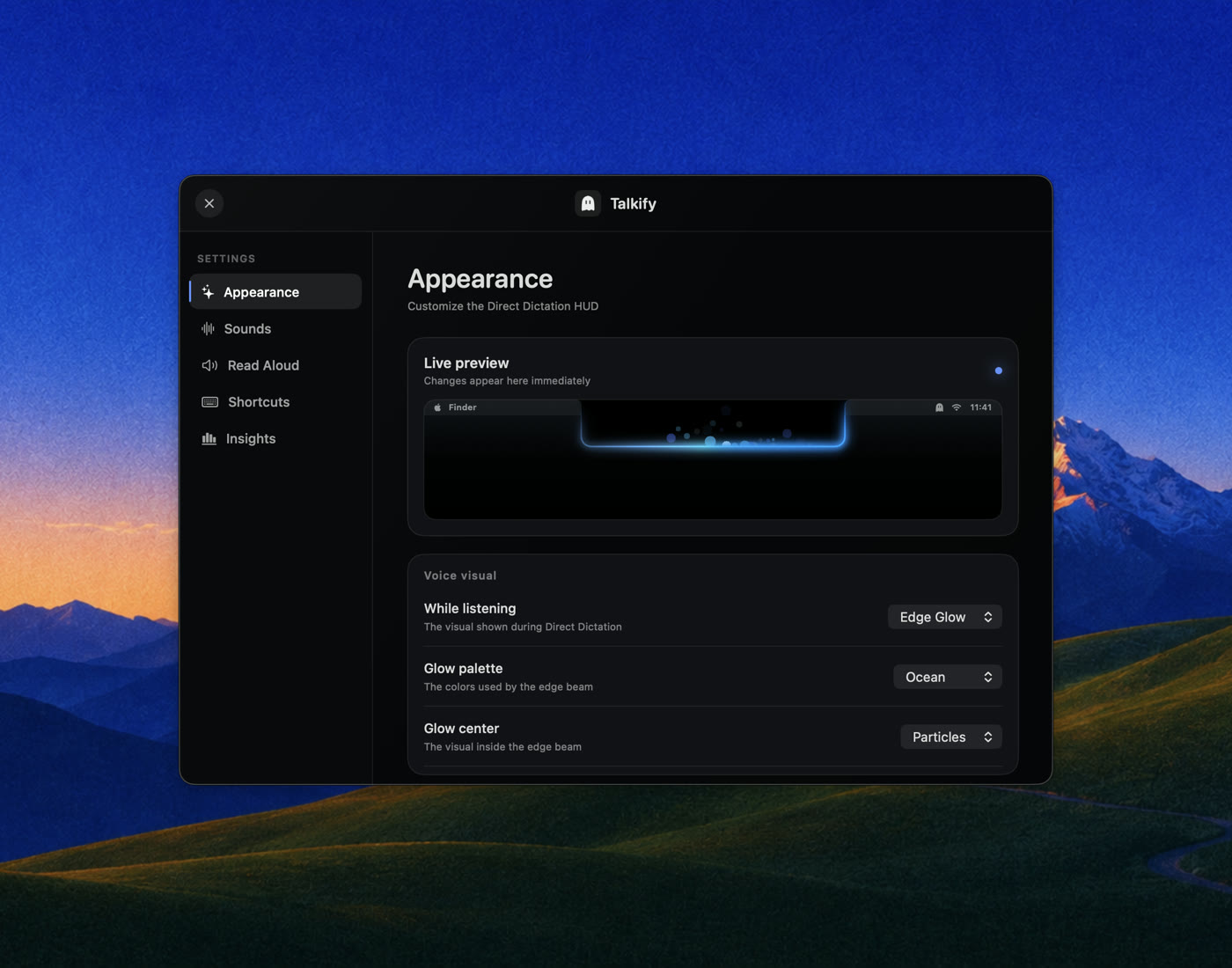
The notch is where your Mac listens. Pick how it looks while it does.
Waveform
Edge Glow
Compact
Drop a file
on the notch.
Drag an audio or video file to the top of the screen and the notch opens to take it. It transcribes in the background, so dictation keeps working.
When it finishes the notch comes back holding the transcript. Drag it to a folder for the file, or to a text field for the words. Click to copy. Leave it and it saves next to the original.
Stop talking.
It's already there.
123 milliseconds from letting go of the key to your words in the input. No spinner, no “processing”, no server to wait for.
Dictation speed
Every engine was tested on the same machine: a MacBook Pro (M4 Max, 14-core, 36 GB) running macOS 26.5.
Every engine spoke the same phrase into the same editor, so recognition and text insertion are both inside these numbers. The harness and the full data are public. Rerun it yourself.
Your transcriptions
stay on your Mac.
- 9.3 MB
- to download
- 12.2 MB
- installed
Talkify is small because it carries no speech model. macOS keeps one and shares it with every app. No audio and no transcripts are written to disk.
Speak one language.
Write another.
Give a second language its own key. Or have one key speak in yours and write in another. Nothing to switch either way.
Nothing to switch
Both models stay loaded, so either key responds instantly, and the notch shows which one is active. It supports thirty locales across ten languages. When you add a new one, macOS just downloads its model once in the background.
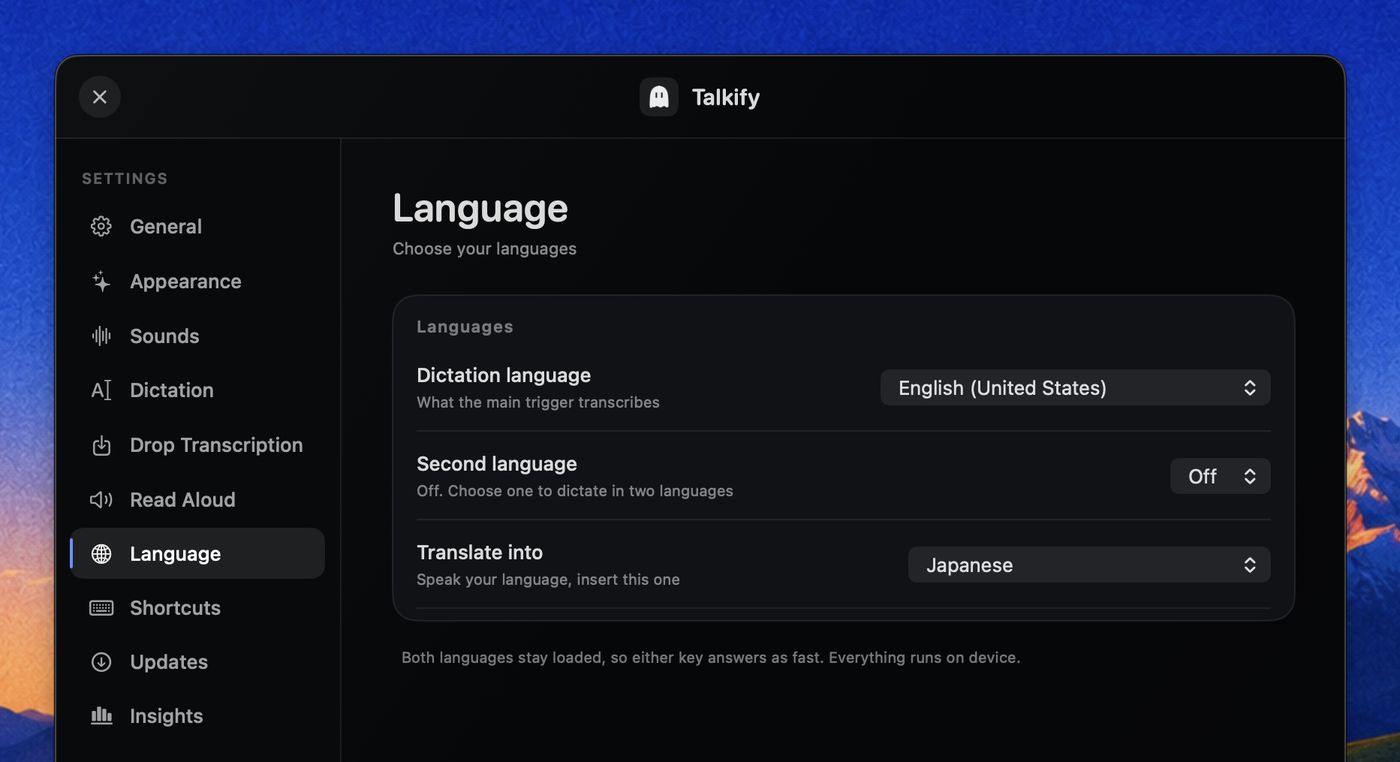
Speak English, insert Spanish
Choose a language to translate into. Speak in English and Spanish appears in your document when you finish dictating. The shortcut stays the same even when you change languages, and the notch shows the current pair before you start talking. Everything runs on device locally on top of Apple's translation engine.
Say it messily.
Have it land clean.
Turn it on and a prompt rewrites what you dictated before it is inserted, on your Mac, with Apple's own model. Off until you want it.
Three prompts, or write your own
Tighten the grammar. Turn a spoken list into bullets. Drop the ums. Each prompt shows what it does under its name, so you pick by reading rather than by remembering, and you can edit any of them. Write a sample sentence, press Try, and see what the model does with it before you rely on it.
It cannot lose your words
If the model is unavailable, refuses, or takes too long, your raw words go in exactly as you said them. Transcription history keeps what you actually said either way. It is a beta, and it is built so the worst case is the old behaviour.
It reads back,
and it's yours to tune.
Read Aloud
Select text in any app and Talkify speaks it. Apple's Enhanced and Premium voices, or your own Personal Voice once you authorize it. On device, offline. It can translate first, so a Japanese page is read to you in English.
Made to your taste
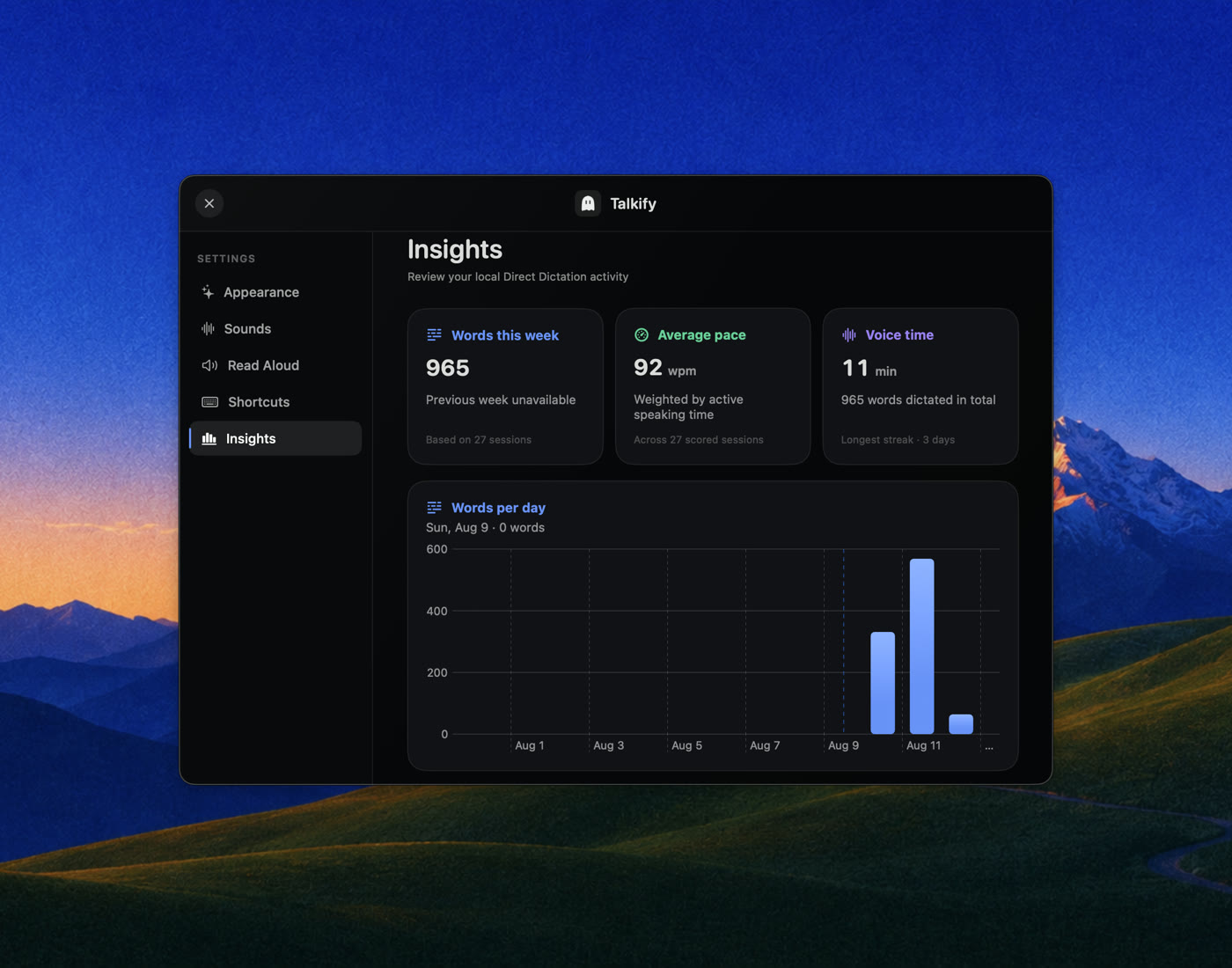
Four voice visuals, nine waveform styles, six glow palettes, sounds and rebindable shortcuts, every change previewed live. Insights shows words per day, pace, voice time and streaks.
Questions
What is Talkify?
Talkify is a free, open-source dictation app for macOS. You hold a key, speak, and release, and your words are typed into whatever app you were using. It lives in the menu bar and shows a live voice visual in the MacBook notch while it listens.
How fast is Talkify?
About 123 milliseconds from releasing the key to your words appearing in the input, measured on a MacBook Pro M4 Max. Running the same phrase through the same editor, superwhisper took 216 ms, VoiceInk 324 ms, Wispr Flow 587 ms and MacWhisper 1149 ms. Recognition and text insertion are both inside those numbers. The harness and full data are public at github.com/tornikegomareli/talkify-latency-bench.
Is Talkify more accurate than other dictation apps?
Not necessarily. Accuracy was comparable across engines in the same benchmark, and Talkify was the least consistent of them: it finalizes soonest, so it commits with the least trailing audio. Talkify's advantage is speed, not accuracy, and version 1 inserts raw text with no cleanup pass.
How much space does Talkify use?
The download is 9.2 MB and the installed app is 12.0 MB. It stores about 20 KB of its own data: word counts and dates for the local Insights screen. No audio and no transcripts are written to disk. Talkify carries no speech model of its own, because macOS keeps one and shares it with every app that asks.
Does Talkify work offline?
Yes. Recognition runs on device using Apple's SpeechAnalyzer, the speech engine introduced in macOS 26. Talkify makes no network requests at all, so it works in airplane mode and nothing you say leaves your Mac.
Is Talkify free?
Yes. Talkify is free and open source, with no account, no subscription and no trial. You can install it with Homebrew or download the DMG from GitHub.
What does Talkify require?
macOS 26 (Tahoe) on an Apple Silicon Mac. On first launch it asks for Microphone, Speech Recognition, Accessibility and Input Monitoring permissions, because dictation listens for a global key and inserts text into other apps.
How do I install Talkify?
With Homebrew, run one command: brew install --cask tornikegomareli/talkify/talkify. The full name matters. Homebrew will not load a cask from an untrusted third-party tap, and installing by full name adds the tap and trusts that one cask on its own, so there is no separate brew tap or brew trust step. You can also download Talkify.dmg from the latest GitHub release.
Is Talkify a Wispr Flow alternative?
It covers the same job (hold a key, speak, and have text appear in any app) but Talkify is free, open source, and runs entirely on device with no account and no cloud service.
Where does Talkify store my transcriptions?
Nowhere. Your text goes into the app you were typing in and is not saved by Talkify. The only thing kept on disk is aggregate usage data for the local Insights screen: word counts, speaking time and dates, never the words themselves.
Can Talkify dictate in languages other than English?
Yes. Thirty locales, across German, English, Spanish, French, Italian, Japanese, Korean, Portuguese, Cantonese and Chinese. A second language can have its own key, so one key dictates English and another German with nothing to switch in between. Talkify never guesses which language you spoke: Apple's recognizer handles one at a time, and a wrong guess gives you fluent nonsense instead of an error.
Can Talkify translate while I dictate?
Yes. Pick a language to translate into and the Translate key writes in it. Say it in English and Spanish lands in the document. The key does not change when you change the language, and the notch shows the pair before you speak. Translation runs on your Mac through Apple's Translation framework. English translates to eleven languages with nothing to download; a few others fetch a model once from Settings.
Can Talkify clean up what I dictate?
Yes, and it is off until you turn it on. Prompt Shaping rewrites finished dictation through Apple's on-device model before it is inserted: tighten the grammar, turn a spoken list into bullets, or drop the filler words. You can edit those prompts or write your own, and try one against a sample sentence before you use it. It is a beta and it fails safe, so any failure or a slow answer inserts your raw words unchanged. The model is Apple's and it runs on your Mac, so there is no account and no request.
Can Talkify read text out loud?
Yes. Select text in any app and press the Read Aloud shortcut. Talkify speaks it with an Apple Enhanced or Premium voice, or your own Personal Voice once you authorize it. On device, offline. It can also translate first: turn on Translate before speaking and a selection in another language is read in the voice's own language, so a Japanese page is spoken to you in English.
Read it, fork it,
or just star it.
Talkify is free because your Mac does the work. The whole app is on GitHub. No telemetry, no server.
A star is how the next person finds it.
Talk to your Mac.
Nothing to learn. Hold a key and say it.
Free & open sourcemacOS 26Apple Silicon